ER diagrams, Entity-Relationship diagrams, graphically show the relationships between a database's tables. ER diagrams contain a lot of information and so provide a useful high-level overview of the data contained within the database. They are particularly useful when writing queries, if there is already a general understanding of what the rows in each table represent.
Most tables have have an id, or key, column that contains a number unique to that row within its table. The id can be used, in perpetuity, to refer to its related row and distinguish it from all the other rows of the table. Ids are arbitrary, although for convenience they are often sequentially generated integers.
A relationship is established between the rows of two tables when an id value from one table appears as data in the other. The relationship notion is made most clear by way of diagrams and examples. If the next paragraph is unclear, don't worry. Have a look at the Gombe-MI diagrams below by way of example and see if that does not clear things up. The relationship concept is at the heart of relational databases and, while the underlying idea is rather simple, it took many years to develop relational database concepts so don't expect a full understanding immediately.
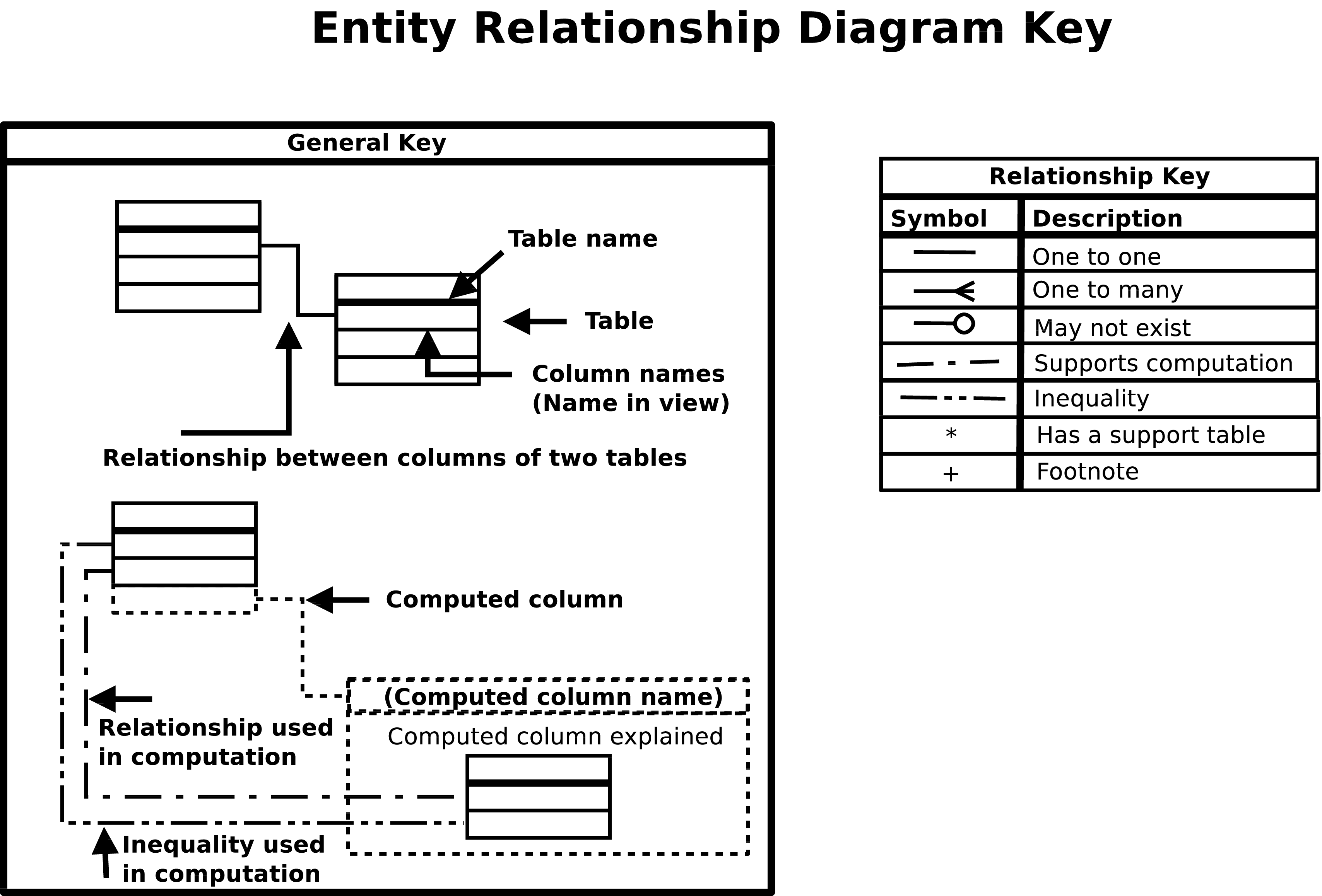
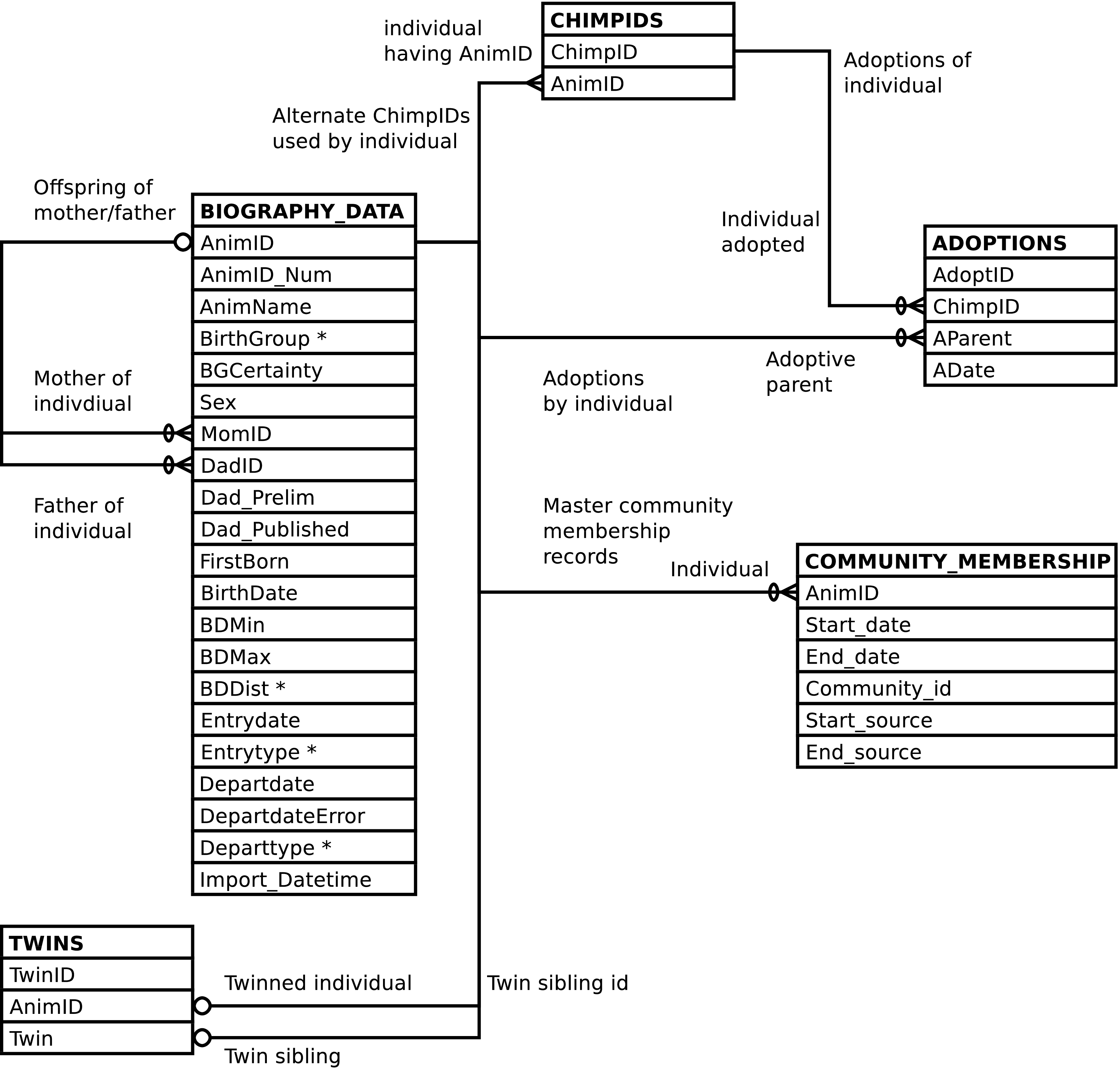
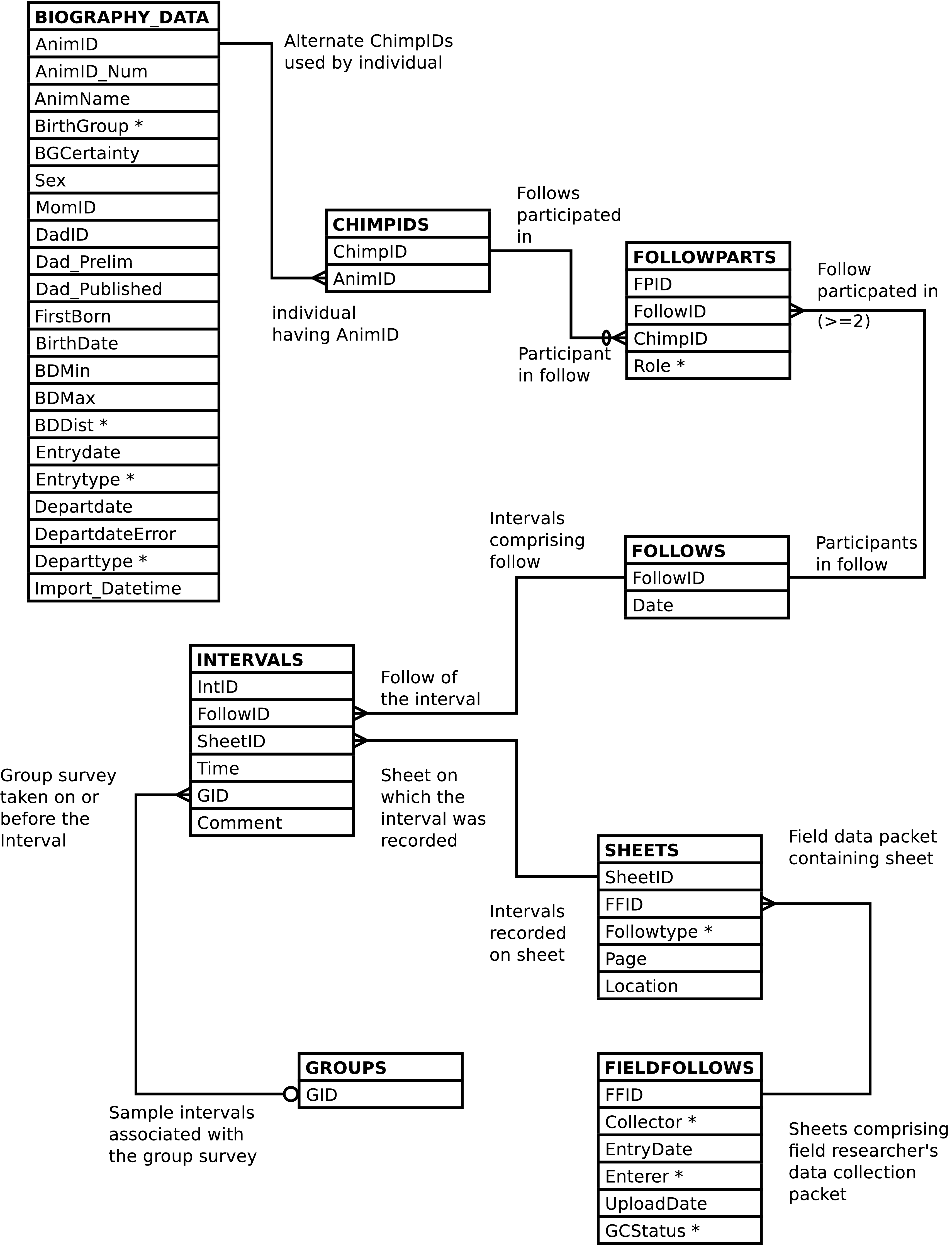
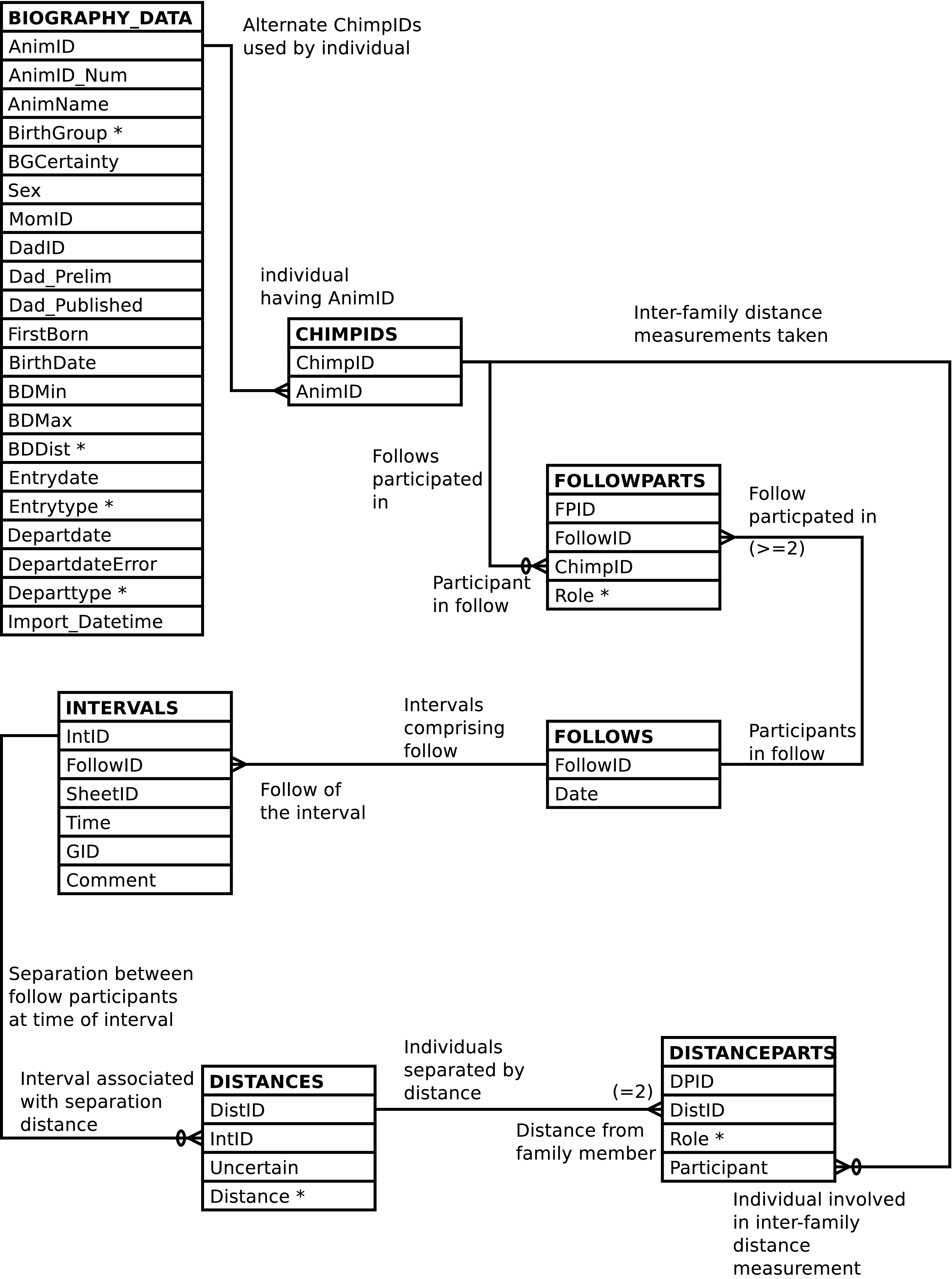
When an id value of a row in one table appears as data in a second table, the data in the second table can be used to retrieve the identified row from the first table.[4] When an id value of a row in the first table appears as data only once in the second table, the two tables are said to have a one-to-one relationship. One row in the first table relates to one (or possibly zero) row(s) in the second table. When a row's id value can appear in more than one row of a second table, the two tables are said to have a one-to-many relationship. One row of the first table can be related to many rows in the second table. One-to-many relationships are more common than one-to-one relationships. The relationship between the various Gombe-MI tables can be visualized in entity relationship diagrams, as shown here. In this diagram each table (entity) is a box, and each box contains a list of the table's columns. The lines between the boxes represent the relationships between the tables.
Note
If you have trouble viewing the diagrams in your browser, you may wish to view them in PDF format. The diagrams are available in The Gombe-MI Pocket Reference in PDF form.
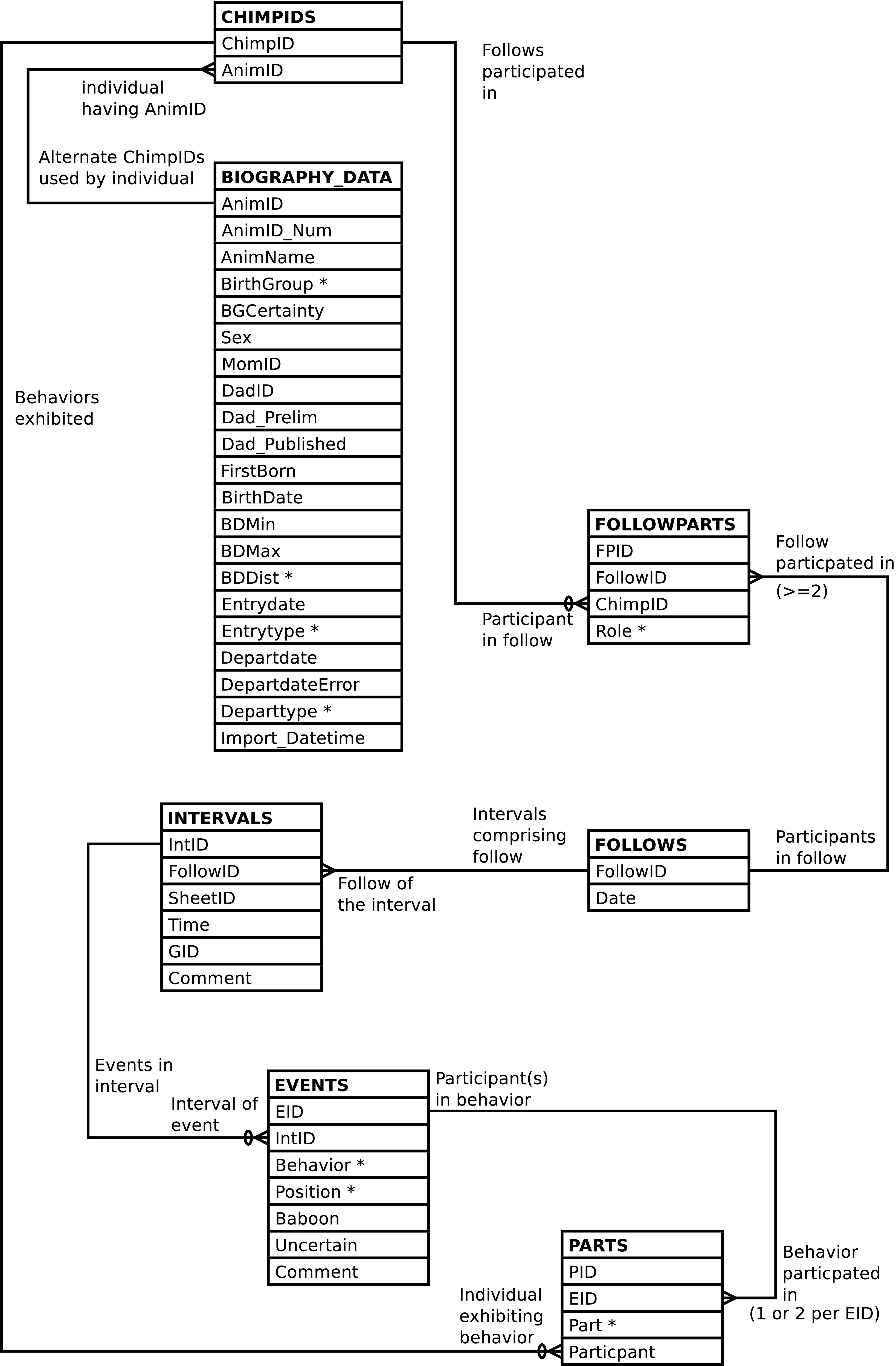
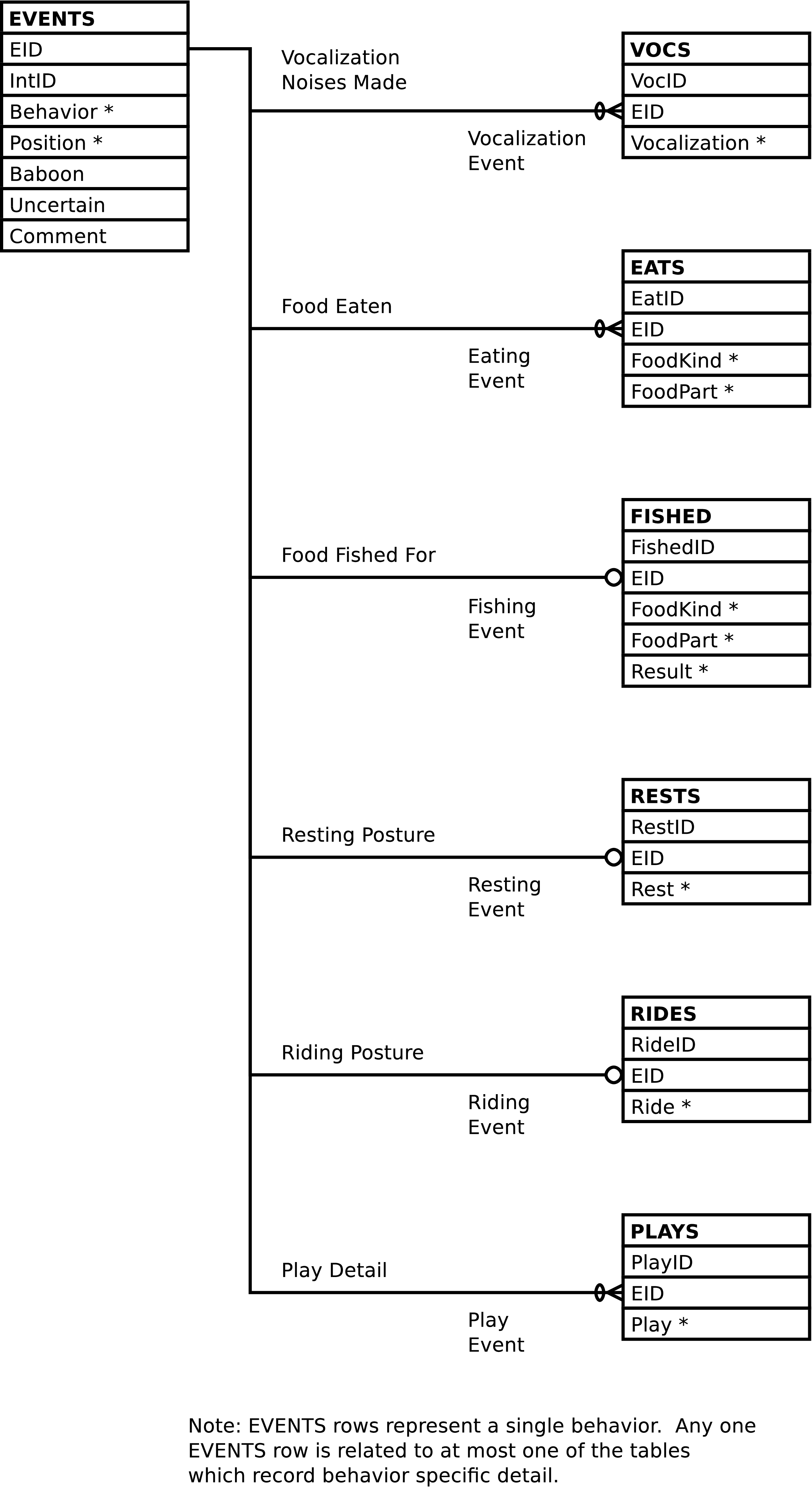
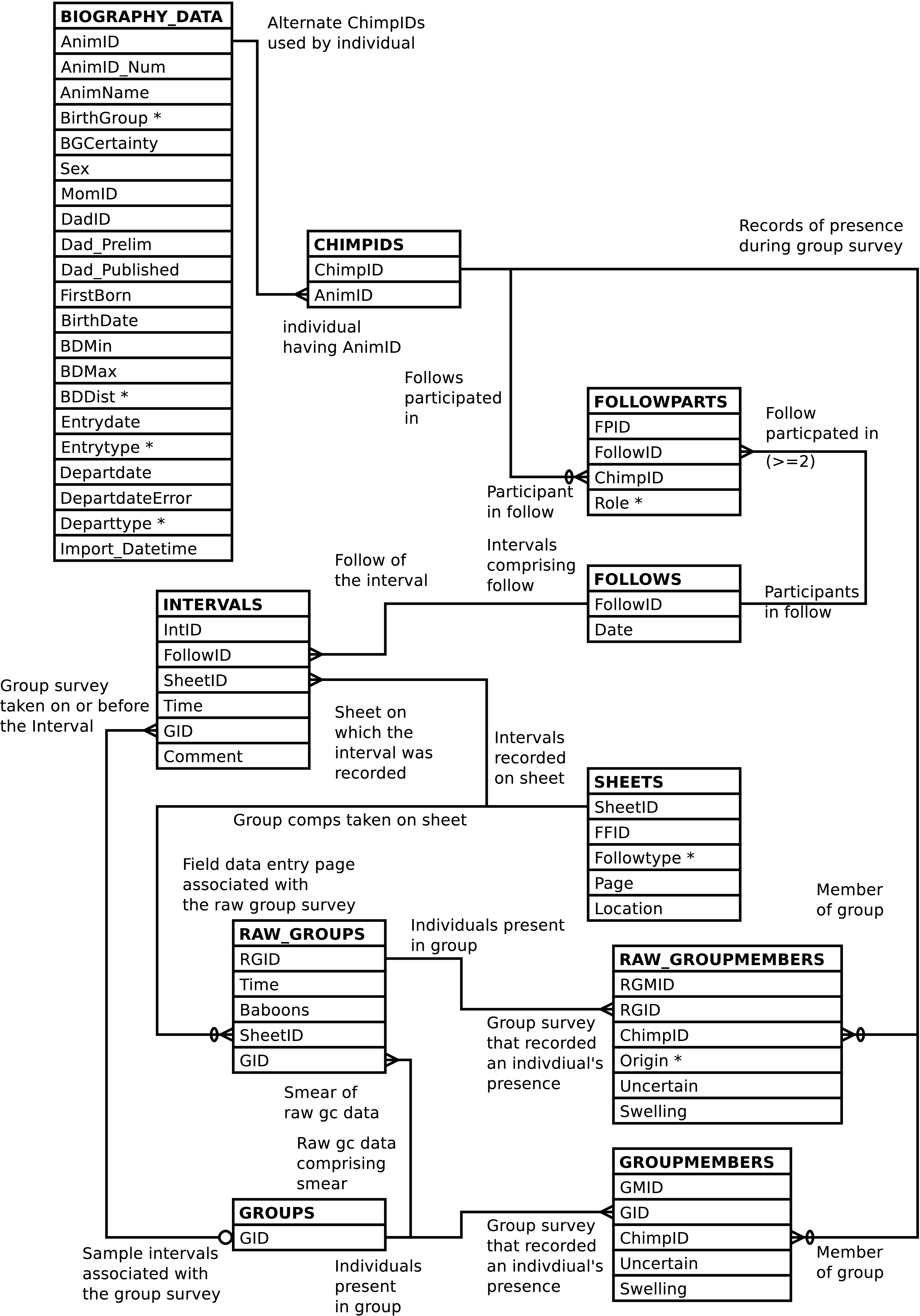
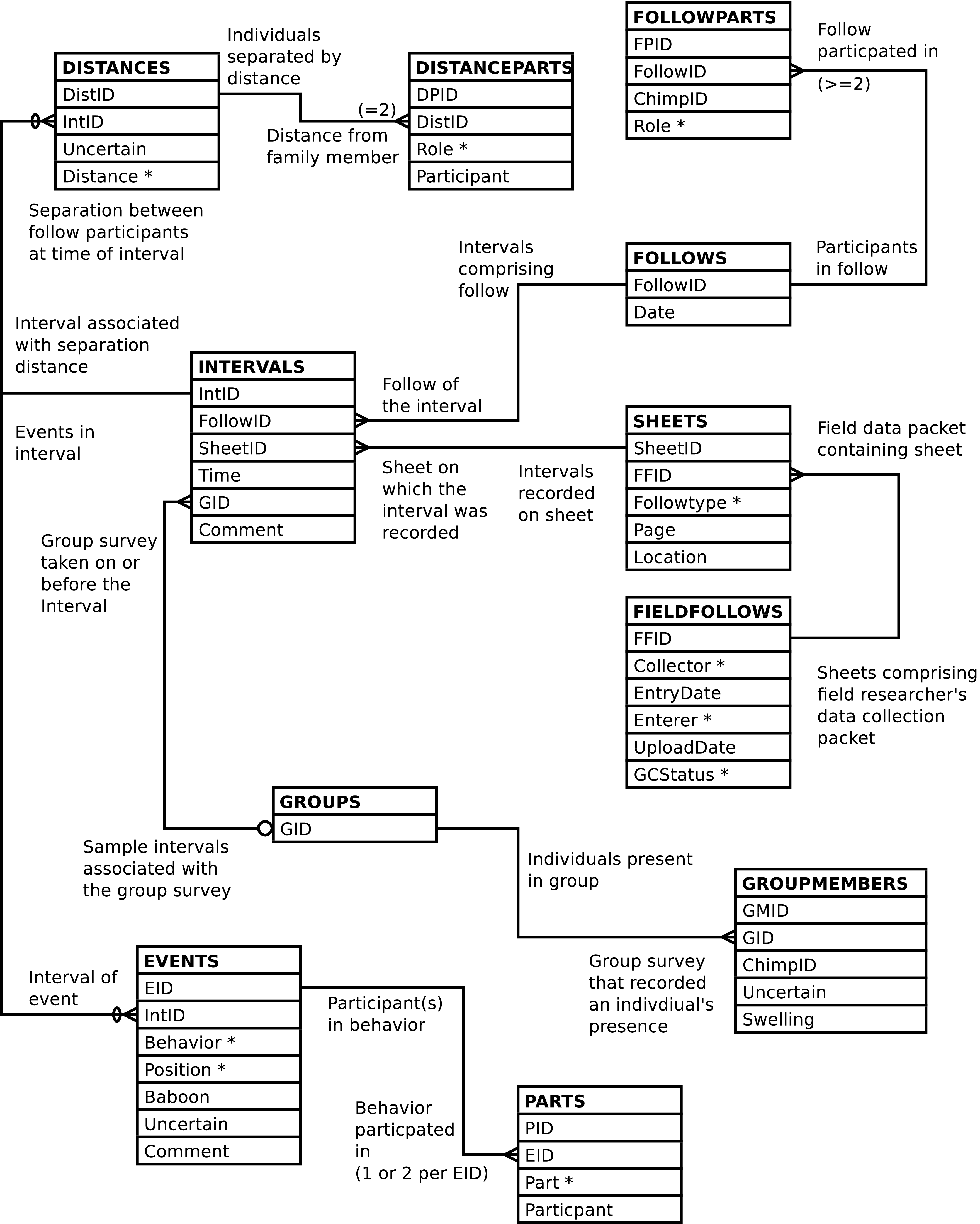
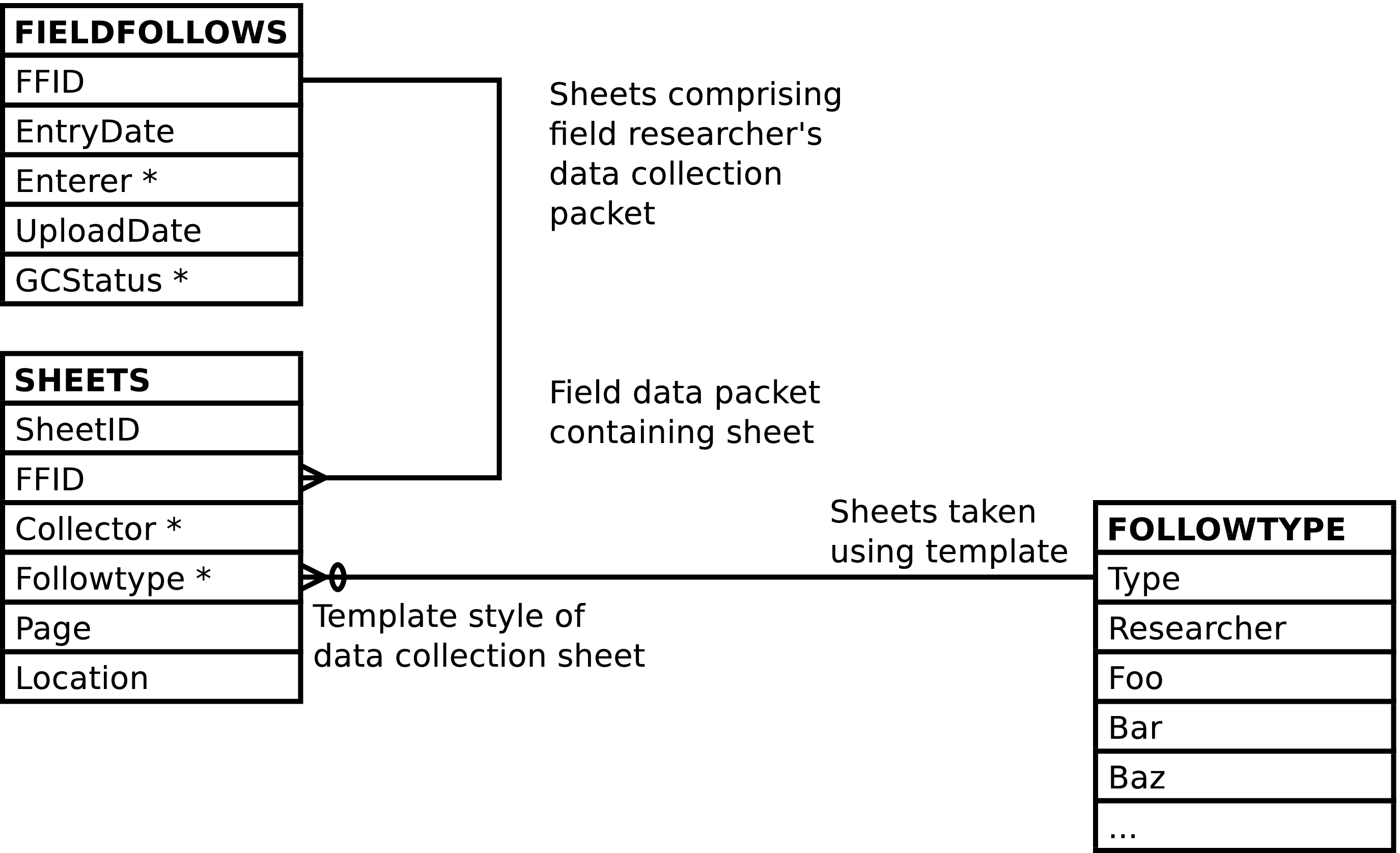
[4] And the reverse is true. The id of a row in the first table can be used to find the row in the second table that holds it.